1980s Photo Prompt: 24 ChatGPT and Gemini Ideas for India
A 1980s photo prompt works when it describes the camera, film and setting, not a vintage filter. Our 24 prompts for ChatGPT and Gemini cover Indian 80s looks, from painted studio backdrops to Doordarshan and wedding albums, and each keeps your face unchanged. Gemini editing needs you to be 18+.

Look at a real 1980s photo from an Indian family album and the "retro" part is never the clothes alone. It is the painted lake behind the studio stool, the flash bouncing off an oiled side parting, colours gone slightly orange after forty years in a plastic sleeve. Most 1980s photo prompts doing the rounds just say "make it 80s style", and the app answers with a clean modern picture wearing a costume.
So each 1980s photo prompt below names the camera, the film, the print and the place, and ends with a fixed line telling ChatGPT or Gemini to leave your face alone. Half are Indian 80s looks you won't find in the global versions of this trend: the photo studio, Doordarshan on a cabinet TV, a hand-painted film poster, the wedding album, the school photo. We wrote these prompts ourselves from Google's published prompting advice. We can't show sample outputs and haven't run them on your photo, so expect to try two or three before one lands.
Why the 1980s photo trend is back in India
The trend first went viral on Instagram in September 2026. Business Today reported on 9 September that people were turning their photos into 1980s portraits with ChatGPT and sharing prompts on Instagram Stories, and it advised treating the result "as a creative interpretation rather than an authentic historical photograph".
It is climbing again now. On 20 November 2026, Google Trends data for India, read through KeywordTool, listed "chatgpt 1980s photo prompt", "1980s ai photo prompt chatgpt" and "1980s couple photo prompt" among the fastest-rising searches for the phrase. We couldn't find a published reason for this second wave, so we won't guess one.
Find your 1980s look
| The look | What it recreates | Prompts |
|---|---|---|
| Indian photo studio | Painted backdrop, soft focus, a studio stool or cane chair | 1, 6, 13, 21 |
| Hindi film still or poster | Generic 80s hero, heroine and romance scenes; hand-painted poster art | 3, 7, 8, 11 |
| Indian street | Rounded Ambassador-style taxis, scooters, hand-painted shop signs | 2, 12 |
| Cassette, transistor and cabinet TV | The middle-class drawing room | 17, 20, 23, 24 |
| Family album | Instamatic snapshots, the wedding album, your parents' old photo | 15, 16, 17, 18 |
| School photo | Uniform, tie, side parting, mottled backdrop | 19 |
| Global 80s | Neon, denim, disco, mall portrait, retro sportswear | 4, 5, 9, 10, 14 |
| Film look only | Grain and colour, nothing else changed | 22 |
Words that make a photo look shot in the 80s
An image model can't feel nostalgia; it needs the physical reasons old photos look old. Google's prompting guide for its image model says "mentioning camera angles, lens types, lighting, and fine details will guide the model toward a photorealistic result". For the 80s, that means describing the film and the print. Add any of these phrases to a prompt that comes out too clean:
| What made 80s photos look 80s | Words to add |
|---|---|
| Film grain | "visible fine grain of 35mm colour negative film" |
| Aged colour | "warm, slightly faded colours with a yellow-orange cast, like a print kept in an album for decades" |
| Direct flash | "harsh on-camera flash, bright face, background falling into shadow" |
| Studio glow | "soft-focus glow around the edges, painted studio backdrop, gentle vignette" |
| The print itself | "a 4x6 inch glossy print with a thin white border, slightly curled, with fine scratches" |
| Camera date stamp | "an orange digital date stamp in the bottom right corner reading '[DATE]'" |
| Video, not photo | "VHS still frame, soft scan lines, colours bleeding slightly at the edges" |
Two words to avoid: "filter" and "aesthetic". Both push the app towards a modern photo with an effect laid on top, which is exactly the look this trend is trying to get away from.
The line that ends every prompt
Every 1980s photo prompt here closes with the same instruction, adjusted for the number of people:
Keep my face, features, skin tone and expression exactly as in the uploaded photo. Change only the hair styling, clothes, background, light and film look.
Hair styling is allowed to change because 80s hair (the puff, the side parting, the long sideburns) is half the look. Your face isn't. That is also why none of these prompts asks the app to make you younger: de-ageing changes the face by definition, and the result stops being you.
Words in square brackets are placeholders. Replace [YOUR CITY], [YOUR NAME] or [DATE] with your own detail, brackets included, or delete the phrase.
1980s photo prompts for boys and men
1. The Indian photo studio portrait
Turn the uploaded photo into a 1980s Indian photo studio portrait. The man sits on a carved wooden stool in a crisp white shirt with a wide collar and dark flared trousers, hair neatly side-parted with a little oil shine. Behind him is a hand-painted studio backdrop of a lake, palm trees and a pink sky. Soft-focus glow at the edges, warm studio light, visible film grain, slightly faded colours like a print from an old family album. Keep my face, features, skin tone and expression exactly as in the uploaded photo. Change only the hair styling, clothes, background, light and film look.2. A 1980s Indian street with a motorcycle
Searching for a Yamaha or Bullet bike prompt? This one describes the bike instead of naming it, because the apps tend to garble badges; add "red and silver tank" or "black with chrome" to steer it.
Show the person from the uploaded photo standing beside a classic 1980s two-stroke motorcycle with a round headlamp on a busy street in [YOUR CITY] in the mid-1980s. Rounded Ambassador-style taxis and small Fiat-style cars pass behind him, with hand-painted shop signs and a cinema hoarding in the distance. He wears a printed shirt with a wide collar, flared jeans and aviator sunglasses pushed up on his head. Shot on 35mm colour film in afternoon sun, fine grain, warm faded colours. No brand badges or logos. Keep my face, features, skin tone and expression exactly as in the uploaded photo. Change only the hair styling, clothes, background, light and film look.3. The 80s film hero still
Make the uploaded photo look like a still from a 1980s Hindi action film. The man stands in a dusty warehouse lit by a single hanging bulb, in a brown leather jacket over a black vest, a red scarf at his neck, with a confident, serious look. Dramatic hard light, deep shadows, heavy film grain, slightly washed-out colours of an old cinema print. Do not make him look like any real actor. Keep my face, features, skin tone and expression exactly as in the uploaded photo. Change only the hair styling, clothes, background, light and film look.4. Denim jacket and a Walkman
Show the person from the uploaded photo leaning against a brick wall at dusk in 1985, wearing an oversized stonewash denim jacket over a white T-shirt, foam headphones around his neck and a cassette Walkman-style player clipped to his belt. Pink and blue neon light from a shop sign falls across one side of his face. Shot on 35mm film with flash, visible grain, slightly faded colours. No brand names. Keep my face, features, skin tone and expression exactly as in the uploaded photo. Change only the hair styling, clothes, background, light and film look.5. Retro sportswear
Show the person from the uploaded photo on a dusty 1980s sports ground, in a shiny tracksuit jacket with three contrasting stripes down the sleeves, a white terry headband and wristbands, sitting on a wooden bench with a cricket bat beside him. Bright midday sun, faded summer colours, fine grain of a colour film snapshot. No logos. Keep my face, features, skin tone and expression exactly as in the uploaded photo. Change only the hair styling, clothes, background, light and film look.1980s photo prompts for girls and women
6. Chiffon saree in the photo studio
Turn the uploaded photo into a 1980s Indian studio portrait. The woman stands beside a plaster pillar with a vase of plastic flowers, in a printed chiffon saree with a puff-sleeved blouse, hair in a soft puff with a side parting and a small bindi. Behind her is a painted backdrop of a garden and a fountain. Soft-focus glow, warm studio lights, visible film grain and slightly faded colours, like a print from a family album. Keep my face, features, skin tone and expression exactly as in the uploaded photo. Change only the hair styling, clothes, background, light and film look.7. A hand-painted film poster
Turn the uploaded photo into a hand-painted 1980s Hindi film poster. The person is painted in bold brushstrokes as the lead, in a dramatic pose, against a fiery orange and blue sky, with large hand-lettered title text reading "[YOUR NAME]" across the bottom. Visible brush texture and slightly uneven paint, like a cinema hoarding. No other real people, film titles, studio names or logos. Keep my face, features, skin tone and expression recognisable and unchanged from the uploaded photo. Change only the hair styling, clothes, background and painted style.8. The film heroine's song scene
Make the uploaded photo look like a still from a song sequence in a 1980s Hindi film. The woman runs through a field of yellow mustard flowers in a flowing white chiffon saree, the end of the pallu lifting in the wind, hills in soft haze behind her. Bright, slightly overexposed daylight, soft-focus edges, film grain and the warm colours of an old cinema print. Do not make her look like any real actress. Keep my face, features, skin tone and expression exactly as in the uploaded photo. Change only the hair styling, clothes, background, light and film look.9. Disco night
Show the person from the uploaded photo on a 1980s disco dance floor, in a sequinned top with padded shoulders, big curled hair and large hoop earrings, a mirror ball scattering spots of light around her. Coloured gel lights in magenta and blue, direct on-camera flash, film grain, slightly smeared highlights. Keep my face, features, skin tone and expression exactly as in the uploaded photo. Change only the hair styling, clothes, background, light and film look.10. The mall glamour portrait
Turn the uploaded photo into a 1980s glamour studio portrait of the kind shopping-mall studios sold. The woman wears a satin blouse with big shoulders and a statement necklace, chin resting lightly on one hand, against a backdrop of purple and blue laser beams. Very soft focus, a dreamy glow and a slight halo around her hair, film grain, airbrushed print look. Keep my face, features, skin tone and expression exactly as in the uploaded photo. Change only the hair styling, clothes, background, light and film look.1980s couple photo prompts for husband and wife
These work for husband and wife or any couple. One photo with both of you in it works better than two separate photos, because the app has fewer faces to match.
11. The snow-song romance still
Make the uploaded photo look like a still from a romantic song in a 1980s Hindi film. The couple stands in a snowy mountain meadow, she in a bright chiffon saree with a cardigan, he in a cream cable-knit sweater and a muffler, laughing as they hold hands. Bright snow light, soft-focus edges, film grain and the warm faded colours of an old cinema print. Do not make them look like any real actors. Keep both faces, features, skin tones and expressions exactly as in the uploaded photo. Change only the hair styling, clothes, background, light and film look.12. On a scooter in the 80s
Show the couple from the uploaded photo on a 1980s Indian scooter on a quiet tree-lined road in [YOUR CITY], he driving in a short-sleeved checked shirt, she sitting side-saddle behind in a cotton salwar kameez with a dupatta trailing. Rounded Ambassador-style cars parked along the road. Late afternoon sun, 35mm colour film, fine grain, slightly faded warm colours. No brand badges. Keep both faces, features, skin tones and expressions exactly as in the uploaded photo. Change only the hair styling, clothes, background, light and film look.13. The couple's studio portrait
Turn the uploaded photo into a 1980s Indian studio portrait of a couple. He sits on a cane chair in a safari suit; she stands beside him with one hand on his shoulder, in a silk saree with a gajra in her hair. Painted backdrop of a garden with a curved bridge, a vase of plastic roses on a small stand. Soft-focus glow, warm studio light, film grain, faded colours and a thin white border like an album print. Keep both faces, features, skin tones and expressions exactly as in the uploaded photo. Change only the hair styling, clothes, background, light and film look.14. Neon roller rink
Show the couple from the uploaded photo at a 1980s roller-skating rink at night, both in bright windcheater jackets, holding hands as they skate, pink and turquoise neon tubes along the walls. Motion blur in the background, direct flash on them, film grain, saturated 80s colours. Keep both faces, features, skin tones and expressions exactly as in the uploaded photo. Change only the hair styling, clothes, background, light and film look.1980s photo prompts for family and parents
For a mother and son or father and daughter photo, use prompt 17 or 18 with a photo of just the two of you; the "every face" ending covers any number of people.
15. A page from an 80s wedding album
Turn the uploaded photo into a page from a 1980s Indian wedding album. The couple sits on a stage decorated with marigold strings and red velvet, she in a heavy red silk saree with gold jewellery, he in a cream sherwani with a turban. Harsh direct flash, deep shadows behind, film grain and faded colours, with the print behind a slightly yellowed plastic album sleeve and a small reflection on it. Keep both faces, features, skin tones and expressions exactly as in the uploaded photo. Change only the hair styling, clothes, background, light and film look.16. Recreate your parents' 1980s photo
This one needs two photos. Attach your parents' real photo from the 1980s first, then a recent photo of you (or of you and your partner or sibling), in the same message.
I have attached two photos. The first is my parents' real photo from the 1980s. The second is a recent photo of me. Recreate the first photo's pose, clothes, setting, colours, grain and print look, using the people from the second photo. Keep the faces, features, skin tones and expressions of the people in the second photo exactly as they are, and do not copy any face from the first photo.If your parents' photo is torn or faded and you'd rather fix the original, our guide to restoring old photos with AI covers scanning and repair.
17. The drawing-room instamatic snapshot
Show the family from the uploaded photo squeezed together on a sofa with crochet covers in a 1980s Indian drawing room, a cabinet TV with sliding wooden shutters behind them, a transistor radio and a two-in-one cassette player on the shelf, and a calendar on the wall. Taken with a cheap instamatic camera: direct flash, slightly tilted framing, square print with rounded corners, film grain and faded colours. Keep every face, feature, skin tone and expression exactly as in the uploaded photo. Change only the hair styling, clothes, background, light and film look.18. Holiday at the hill station
Show the family from the uploaded photo on a 1980s holiday at an Indian hill station, all in hand-knitted sweaters and monkey caps, standing at a railing with pine-covered hills and mist behind them. Taken by a passing tourist on 35mm film: slightly off-centre, soft overcast light, fine grain, faded blue-green colours, an orange date stamp in the corner reading "[DATE]". Keep every face, feature, skin tone and expression exactly as in the uploaded photo. Change only the hair styling, clothes, background, light and film look.80s photo prompts for kids
You must be 18 or over to edit images in Gemini, so these are for parents using their own account. Read the privacy section below before you upload a child's photo.
19. The 80s school photo
Turn the uploaded photo into a 1980s Indian school photo. The child sits upright in a school uniform with a white shirt, a striped tie and a badge on the pocket, hair oiled and neatly side-parted, against a mottled blue studio backdrop. Flat studio flash, slight soft focus, fine film grain, faded colours and a thin white border. Keep the child's face, features, skin tone and expression exactly as in the uploaded photo. Change only the hair styling, clothes, background, light and film look.20. Courtyard summer holidays
Show the child from the uploaded photo in a sunny 1980s Indian courtyard during the summer holidays, in a striped T-shirt and shorts, sitting on a red tricycle beside a clay water pot, a transistor radio on the window ledge behind. Bright afternoon sun, 35mm film snapshot, fine grain, faded warm colours. Keep the child's face, features, skin tone and expression exactly as in the uploaded photo. Change only the hair styling, clothes, background, light and film look.21. The baby's studio portrait
Turn the uploaded photo into a 1980s Indian studio portrait of a baby, sitting on a big cane chair with a satin cushion, in a frilly outfit, a black dot of kajal on the cheek, a toy rattle in front. Painted backdrop of clouds and flowers. Soft-focus glow, warm studio light, film grain and slightly faded colours of an old album print. Keep the baby's face exactly as in the uploaded photo. Change only the clothes, background, light and film look.Prompts for any photo: film look, TV and cassette
22. Just the film look
The safest edit for your face, because nothing but colour and texture changes.
Make this photo look like it was taken in India in the 1980s on 35mm colour negative film and printed at a local studio: add visible fine grain, warm slightly faded colours with a yellow-orange cast, softer contrast and a thin white print border. Do not change the people, faces, clothes, pose or background in any way.23. On Doordarshan-era TV
Colour television came to India with the live telecast of the Independence Day speech on 15 August 1982, according to Wikipedia's Doordarshan history. This prompt puts you on that screen.
Show the person from the uploaded photo as a presenter on a curved 1980s CRT television screen in an Indian drawing room. The TV is a wooden cabinet set with sliding shutters, on a crocheted cover, with a small plant beside it. On screen, the person sits at a plain news desk in front of a blue backdrop. Soft scan lines, slight colour bleeding and screen glare, the room around it photographed on faded colour film. No channel logos or text. Keep my face, features, skin tone and expression exactly as in the uploaded photo. Change only the hair styling, clothes, background, light and film look.24. Your own cassette cover
Turn the uploaded photo into the paper cover insert of a 1980s audio cassette, shown lying in its clear plastic case on a wooden table. The person's photo fills the cover, with bold retro lettering reading "[YOUR NAME]" and a coloured stripe along the spine. Slightly faded printing, a few scratches on the plastic case. No brand names or logos. Keep my face, features, skin tone and expression exactly as in the uploaded photo.Why these prompts avoid real stars, film titles and logos
The Hindi-cinema prompts (3, 7, 8 and 11) describe a scene, not a star, and we haven't written prompts that name a real actor or actress, even though people search for them. Indian courts now protect film stars' likeness against AI misuse: on 9 September 2025 the Delhi High Court restrained defendants from misusing Aishwarya Rai Bachchan's "name, likeness, or images through AI, deepfakes, face morphing", Storyboard18 reported. Google's image help page also tells users: "Be sure not to violate others' copyright or privacy rights."
Film titles, studio names, channel logos and vehicle badges are left out for a practical reason too: the app usually garbles them, and a half-spelt logo is the fastest way to make the photo look fake.
How to use a 1980s photo prompt in Gemini
These steps follow Google's help page on creating and editing images, read on 20 November 2026.
- Open the Gemini app or gemini.google.com and sign in. Google says: "To generate and edit images, you must be 18 or over."
- Pick Flash or Pro, not Flash-Lite. With the model set to Flash or Pro, Google says image requests go to Nano Banana 2. Flash-Lite uses Nano Banana Lite, which is tuned for speed.
- Upload your photo in the chat box and paste one prompt. For prompt 16, attach both photos in the same message.
- Redo with Pro if you pay. On a Google AI plan, click More at the bottom right of the image, then Redo with Pro. Google says this won't work once you've reached your daily Nano Banana 2 image quota.
- Save it. On the web, hover over the image and click Download full size.
Google doesn't publish a fixed number of free images a day. Our guide to Gemini limits per day explains what each Google AI plan in India gets.
How to use it in ChatGPT
OpenAI's help pages blocked our reader on 20 November 2026, so these points come from the Images in ChatGPT help page as we read it on 18 November for our IPL AI photo prompt guide. It said ChatGPT Images "is available on all tiers", on web, iOS and Android.
- Open ChatGPT, upload your photo and paste the prompt.
- Fix one area at a time if the result misses: open the image, choose Select, highlight only the clothes or the background, and describe the change. OpenAI warned that "edits may extend beyond the area you selected", so check the face afterwards.
- Save it from the image controls.
OpenAI's pricing page listed free-plan image creation as "Limited", with no number, when our ChatGPT Go limits guide checked it on 18 November; that guide sets out what each paid plan adds.
Tips for real 80s grain and colour
- Start from a clear, front-facing photo in daylight or even indoor light, with no beauty filter or sunglasses. The prompt adds the period details; the photo only has to supply a clear face.
- Ask for the film look in a second step. If the first result is too sharp, reply with one line from the "Words that make a photo look shot in the 80s" table rather than rewriting the whole prompt.
- Name a time of day. "Afternoon sun", "flash at night" and "overcast hill-station light" each give a different 80s palette; "retro lighting" gives the app nothing to work with.
- Keep text short. A name, a date stamp or a poster title comes out cleaner in short words inside quotation marks. Check the spelling before you post.
- Want it vertical for Instagram? Add "vertical portrait format" at the end. If the app ignores it, crop the result.
What to do if the AI changes your face
If the 1980s version looks like a stranger, don't keep editing the same picture. Google's prompting guide says that if a character's features drift after many edits, "you can restart a new conversation with a detailed description to retain consistency".
- Start a new chat and upload your original photo again, not the last result.
- Run prompt 22 first. It changes only grain and colour. Then ask for one more change, such as the clothes, in a second message.
- Cut the scene down. Delete the extra props and people from the prompt; each one is another thing the model can get wrong.
- Drop the hairstyle change if your face shifts with it. Replace "Change only the hair styling, clothes…" with "Keep my hair as it is".
- In ChatGPT, use Select on the clothes or background only, so the face sits outside the edited area.
- Try the other app. Gemini and ChatGPT use different image models, and one may hold your face better for a given photo.
Uploading faces and children's photos: what Google says
Google's Gemini privacy hub, read on 20 November 2026, says:
- Human reviewers read a subset of chats, and "reviewed chats are retained for up to three years", even if you delete your history.
- Attachments count: while the setting that lets Google use your chats for training is on, that includes photos you upload. Switch it off before you upload, or use a temporary chat; Google says temporary chats "are not used to train Google's AI models".
- Ask first: Google tells users to "get permission before … using their faces or voices in Gemini". That covers your parents' photo in prompt 16.
The page doesn't say anything specific about photos of children. Our call: for a child, use a temporary chat, and share the 80s picture in the family group rather than on a public profile.
There is no special "1980s photo" app. Use the official ChatGPT and Gemini apps from the Play Store or App Store, and skip APK downloads that promise the trend; our Diwali prompt guide covers a police warning about fake AI photo apps.
The AI marks on your 80s photo
A Gemini picture that looks forty years old still carries marks that say it was made this week.
| Mark | What it is | Gemini in India |
|---|---|---|
| Visible watermark | A small mark on the image | On newly generated images, unless you have AI Ultra |
| SynthID | An invisible watermark | On all media Gemini creates or edits |
| Content Credentials (C2PA) | Metadata recording the image's origin | Included |
Sources: Google's watermark settings page and verification page, read 20 November 2026.
Google's watermark page says that in India the setting to switch off the visible watermark appears only with an AI Ultra subscription. SynthID, it says, "will usually still exist even if the image … is re-scaled, re-colored, compressed", so adding more grain or an orange tint doesn't remove it. To check a picture, upload it at gemini.google.com and ask whether it was made or edited by Google AI; Content Credentials checks work on the web and the Android app, with iOS support promised soon. For ChatGPT, OpenAI's provenance page, as we read it on 18 November, said its images carry C2PA metadata.
One honest-use point specific to this trend: a convincing fake 1980s photo is easy to pass off as a real family photo. Say "AI-edited" when you post it; a caption as simple as "Me, if I'd been born in 1960 (AI-edited)" does the job. Our guides on the Instagram AI label and how to detect AI-generated images cover both sides of that.
For the next trend on the calendar, the same keep-your-face method runs through our Christmas photo prompts for Gemini and AI wedding photo prompts.
FAQ
What is the best 1980s photo prompt for ChatGPT?
One that describes the 80s camera, film and setting (a painted studio backdrop, direct flash, film grain, faded colours) and ends by telling ChatGPT to keep your face, features and skin tone unchanged. Prompt 22, which changes only the film look, is the safest for your face.
1980s photo prompt kaise banaye, aur kya likhe?
Upload a clear photo of yourself to ChatGPT or Gemini, paste one of the prompts above and send it. Write the camera, film and setting you want, and end with the line asking the app to keep your face unchanged. If the face changes, start a new chat with the original photo. Gemini photo editing needs you to be 18 or over.
Is the 1980s AI photo trend free?
Yes, on both apps within limits. Gemini edits photos on its free plan with a daily image quota Google doesn't publish as a number. OpenAI's help page said ChatGPT Images is available on all tiers when we read it on 18 November 2026, with free image creation listed as "Limited".
Can I make a 1980s photo with a Bollywood star?
Avoid it. The Delhi High Court has restrained AI misuse of film stars' likenesses, including Aishwarya Rai Bachchan's in September 2025. Our film-style prompts describe a generic 80s hero or heroine scene with your own face instead.
Can I recreate my parents' 1980s photo with AI?
Yes. Attach their old photo and a recent photo of yourself in the same message, then use prompt 16, which copies the pose, clothes and film look but keeps your face. Ask your parents before you upload their photo; Google asks users to get permission before using other people's faces.
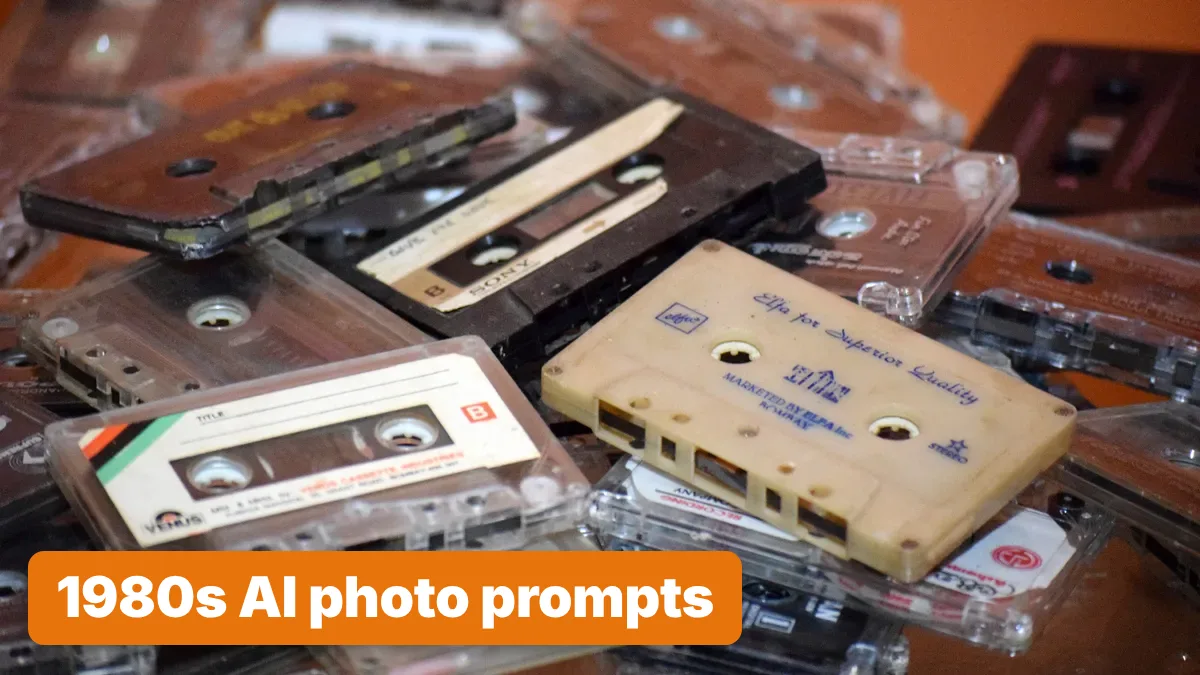
Cover image: a heap of old Indian audio cassettes from a father's collection. Udaykumar236, CC BY-SA 4.0, via Wikimedia Commons.
Related tools
We may earn a commission if you buy through our links. This doesn't affect our rankings. Learn more about our affiliate disclosure.

ChatGPT
The most widely used AI chatbot for writing, coding, and research.

Gemini
Google's multimodal AI assistant integrated across Search, Workspace, and Android.
See more of BestAI.in in Google's Top Stories: add us as a preferred source.