AI Diwali Photo Prompt: 12 Gemini Prompts That Keep Your Face
A good AI Diwali photo prompt describes the whole scene and tells Gemini to keep your face exactly as it is. Upload your photo in the Gemini app (photo editing needs age 18+), paste a prompt below, and expect Google's visible watermark on images made in India. Diwali is on 8 November 2026.

Before Diwali, AI photo prompts spread fast on Instagram, and pages sharing them often promise a "100% faithful" face. Google itself is more honest. Its own guide says Gemini "can maintain the likeness of a person" across poses and lighting, then adds: "it may not always get it right."
The prompts below are written to give it the best chance. They follow Google's published prompting advice, they are grouped the way people search (men, women, couples, family, kids), and they come with the things the copy-paste prompt pages leave out: why your face changes, the watermark you will get in India, and how to avoid the fake apps that ride every photo trend. We wrote these prompts from Google's guidance; we have not tested them on your photo, so expect to try a few.
Diwali AI photo kaise banaye? Step by step in Gemini
- Open the Gemini app or gemini.google.com and sign in. Editing a photo of yourself needs an account for someone aged 18 or older, according to Google's help page.
- Upload a clear, front-facing photo: good light, face not covered, no heavy filter.
- Paste one prompt from this page and send it.
- If the face looks off, don't keep editing the same image. Start a new chat and upload the original again (the reason is below).
- Download the result. Without a paid Google AI plan, downloads are 1K resolution; with one, 2K.
How many images you can make depends on your plan. Google publishes multipliers rather than numbers: Google AI Plus gets "2x higher" limits than the free tier and AI Pro "4x higher", and it notes that limits "may change", per its usage limits page. Plan prices in rupees are in our AI subscription price in India report.
Why does AI change your face, and how do you stop it?
Three things cause most "this doesn't look like me" results:
- Too many edits on one image. Google's developer guide warns that a character's features can "begin to drift after many iterative edits" and suggests restarting with a fresh, detailed description.
- The lighter model. Google says its Nano Banana 2 Lite model, used with Gemini's Flash-Lite, is "not designed for multiple image references or multiple edits". If your face keeps changing, switch to the standard Flash model.
- Keyword-only prompts. Google's prompting tips say a "narrative, descriptive paragraph will almost always produce a better, more coherent image" than a list of words.
Every AI Diwali photo prompt below ends with the same instruction, built from the edit template in Google's guide ("Keep everything else in the image exactly the same, preserving the original style, lighting, and composition"). You can add it to any prompt of your own:
Keep the person's face, facial features, skin tone, hairline and expression exactly as in the uploaded photo. Change only the clothing, background and lighting described.
AI Diwali photo prompt ideas for men and boys
1. Diyas on the balcony
Place the person from the uploaded photo on a balcony at night during Diwali, wearing a deep maroon silk kurta with a gold-embroidered collar. He is lighting a row of clay diyas on the railing, with the city behind him glowing with fairy lights and soft bokeh. Warm golden light from the diyas falls on his face. Shot like an 85mm portrait, shallow depth of field. Keep the person's face, facial features, skin tone, hairline and expression exactly as in the uploaded photo. Change only the clothing, background and lighting described.
2. Rangoli and white kurta
Show the person from the uploaded photo sitting cross-legged beside a large, colourful rangoli on a courtyard floor, wearing a crisp white kurta-pyjama with a light Nehru jacket. Marigold garlands hang behind him and evening light mixes with diya glow. Natural, candid photo style. Keep the person's face, facial features, skin tone, hairline and expression exactly as in the uploaded photo. Change only the clothing, background and lighting described.
3. Sparklers at the gate
Show the person from the uploaded photo standing at the gate of a house decorated with string lights and a toran of marigolds, holding a lit sparkler, wearing a navy sherwani-style kurta. Night scene, sparks frozen in the air, warm highlights on his face. Cinematic, 50mm lens look. Keep the person's face, facial features, skin tone, hairline and expression exactly as in the uploaded photo. Change only the clothing, background and lighting described.
AI Diwali photo prompt ideas for women and girls
4. Lehenga and diya thali
Show the person from the uploaded photo in a rich red and gold lehenga with a dupatta draped over one shoulder, holding a brass thali with lit diyas and flower petals. She stands in a doorway decorated with marigold garlands and fairy lights. Soft golden light, festive and elegant. 85mm portrait, background softly blurred. Keep the person's face, facial features, skin tone, hairline and expression exactly as in the uploaded photo. Change only the clothing, background and lighting described.
5. Saree and rangoli
Show the person from the uploaded photo kneeling beside a freshly made rangoli, finishing it with coloured powder, wearing a silk saree in emerald green with a gold border. Diyas are placed around the rangoli and the scene is lit by their warm glow at dusk. Candid, natural photograph. Keep the person's face, facial features, skin tone, hairline and expression exactly as in the uploaded photo. Change only the clothing, background and lighting described.
6. Lantern-lit rooftop
Show the person from the uploaded photo on a rooftop at night surrounded by hanging paper lanterns and string lights, wearing a pastel anarkali suit, smiling as fireworks light the sky behind her. Warm light on her face, cool blue sky, gentle bokeh. Keep the person's face, facial features, skin tone, hairline and expression exactly as in the uploaded photo. Change only the clothing, background and lighting described.
AI Diwali photo prompt ideas for couples
Upload a single photo that has both of you in it, or two clear photos; Google says the standard Nano Banana 2 model can take multiple reference images, while the Lite model can't.
7. Lighting diyas together
Show the two people from the uploaded photo lighting diyas together on the steps of a house decorated for Diwali, she in a maroon saree and he in a cream kurta with a maroon shawl. They are laughing, faces lit by the diyas, marigold garlands and fairy lights behind them. Warm, candid, 50mm lens. Keep both people's faces, facial features, skin tones, hairlines and expressions exactly as in the uploaded photo. Change only the clothing, background and lighting described.
8. Fireworks on the terrace
Show the two people from the uploaded photo on a terrace at night watching fireworks, standing close, in coordinated festive outfits of deep blue and gold. Fireworks burst in the sky, string lights frame the shot, soft warm light on their faces. Cinematic photo. Keep both people's faces, facial features, skin tones, hairlines and expressions exactly as in the uploaded photo. Change only the clothing, background and lighting described.
AI Diwali photo prompts for family and kids
Get everyone's permission first; Google's own help page asks you to get permission before using other people's faces in Gemini. For children, a parent should upload the photo, since editing needs an adult account.
9. Family Lakshmi puja
Show the family from the uploaded photo seated together in front of a decorated puja corner with diyas, flowers and a rangoli, all in traditional festive clothes in warm colours. Soft, warm light from the diyas, a calm and happy mood. Natural family photograph. Keep every person's face, facial features, skin tone and expression exactly as in the uploaded photo. Change only the clothing, background and lighting described.
10. Kids with phuljhadi
Show the child from the uploaded photo in a small yellow kurta holding a sparkler at arm's length, smiling, in a courtyard lit with diyas and fairy lights. Sparks glow, warm light on the face, background softly blurred. Keep the child's face, facial features, skin tone and expression exactly as in the uploaded photo. Change only the clothing, background and lighting described.
Diwali wishes card prompts
11. Photo greeting card
Turn the uploaded photo into a Diwali greeting card. Keep the person exactly as they are, add a warm background of glowing diyas and marigolds, and write "Happy Diwali" in elegant gold lettering at the top with plenty of space around it. Festive, clean layout. Keep the person's face, facial features, skin tone and expression exactly as in the uploaded photo.
12. Wishes card without a face
Create a Diwali greeting card with a rangoli in the centre surrounded by lit diyas on a deep maroon background, with "Shubh Deepavali" in gold lettering at the top. Elegant, festive, minimal.
Check the spelling of any lettering before you share the card. More on writing prompts that work is in our guide to AI image prompts, and for the wedding season, see our AI wedding photo prompts for haldi, mehendi, sangeet and invitations.
Do Gemini Diwali photos have a watermark?
Yes, in India. Google says that if you are in India, the setting to hide the visible watermark only appears with an AI Ultra subscription; "otherwise you'll automatically see visible watermarks applied to all visual media you create with Gemini Apps", per its watermark page. Every image also carries an invisible SynthID watermark and Content Credentials metadata, which you can't switch off. Our guide to detecting AI-generated images explains how those signals are read.
ChatGPT can also edit an uploaded photo. OpenAI's developer documentation says its images carry provenance signals too, and notes that its image models "may occasionally struggle to maintain visual consistency for recurring characters". We could not confirm a published free-tier image limit for ChatGPT.
Is it safe to upload your photo to an AI app?
Use the official Gemini or ChatGPT apps, not a site or APK that promises the "same trend free". In September 2026, Telangana's Cyber Security Bureau warned about fake apps and APKs riding the viral retro AI photo trend, saying "an attractive photo-editing offer can be a trap", Deccan Chronicle reported. Report fraud on 1930 or cybercrime.gov.in.
Even in the official app, know what happens to your photo. Google's Gemini privacy page says "a subset of chats are reviewed by human reviewers", that activity can be used to improve Google's services "including training generative AI models" when Keep Activity is on, and that reviewed chats are kept for up to three years. If you'd rather not, turn Keep Activity off or use a Temporary chat; Google says those chats are kept for 72 hours and not used for training unless you send feedback.
Do you have to label AI Diwali photos on Instagram?
The duty falls on the platforms, not on you. India's IT Amendment Rules 2026, in force since 20 February 2026, require large social platforms to label synthetic content and to "obtain a user declaration as to whether the content is SGI" (synthetically generated information), according to MeitY's FAQ. So when you post, Instagram or another platform may ask whether your photo is AI-generated. A portrait of you in a Diwali scene that never happened is the kind of image those rules are about, so answer yes. Simple brightness or sharpening edits are exempt. Our explainer on India AI regulation covers the rest of those rules and the AI law the government is now drafting.
FAQ
Which AI is best for Diwali photo editing?
Google Gemini is a strong choice for editing your own photo into a festive scene, and Google says it can keep a person's likeness across poses and lighting. ChatGPT also edits uploaded photos. Both are free to start, with daily limits.
How do I keep my face the same in an AI Diwali photo?
Write the whole scene as one descriptive paragraph, add an instruction to keep your face, features and skin tone exactly as in the photo, and use the standard Flash model rather than Flash-Lite. If the face drifts, start a new chat with the original photo instead of editing again.
Is the Gemini Diwali photo free?
Yes, within the free tier's daily limits, which Google doesn't publish as a number. Paid Google AI plans raise the limit and allow 2K downloads.
Can I remove the Gemini watermark in India?
Not unless you have Google AI Ultra. Google says users in India automatically get visible watermarks on Gemini images otherwise, and the invisible SynthID watermark stays on every image.
Is it safe to use AI photo trend apps?
Only use official apps such as Gemini or ChatGPT from the Play Store or App Store. Indian cyber police have warned that fake photo-trend apps and APKs can steal data, and Google says some Gemini chats are reviewed by people.
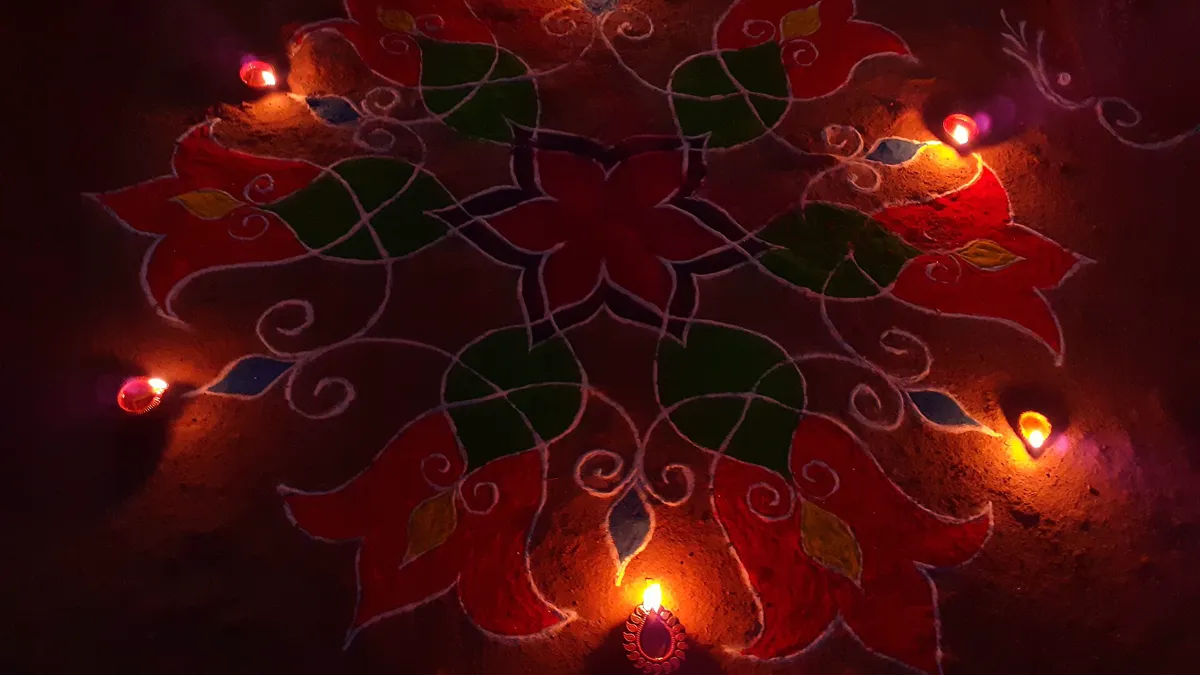
Cover image: RashmiGhorpade, CC0, via Wikimedia Commons.
Related tools
We may earn a commission if you buy through our links. This doesn't affect our rankings. Learn more about our affiliate disclosure.

Gemini
Google's multimodal AI assistant integrated across Search, Workspace, and Android.

ChatGPT
The most widely used AI chatbot for writing, coding, and research.
See more of BestAI.in in Google's Top Stories: add us as a preferred source.