IPL AI Photo Prompt: 21 Cricket Edits That Keep Your Face
A good IPL AI photo prompt puts you in a stadium or a jersey in your team's colours, not its logo, and tells Gemini or ChatGPT to keep your face unchanged. Both apps edit uploaded photos on free plans; Gemini needs you to be 18 or over. Every result carries hidden AI marks you can check.
 By Ketan Patel · Published · 17 min read
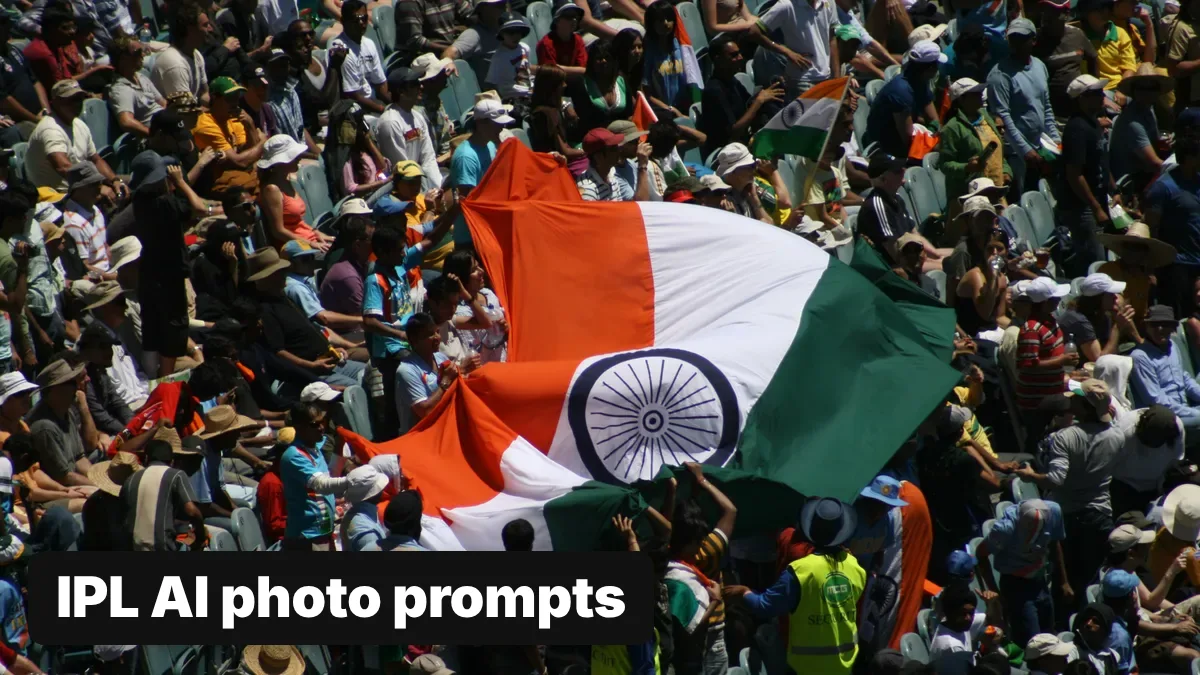

Most IPL AI photo prompts that go round each season ask the app for a named franchise's jersey, its logo, or a star player standing next to you. That is exactly what tends to go wrong: the logo comes out garbled, the face drifts, and the picture borrows a brand and a person's likeness that aren't yours to use.
So the 21 prompts here do it differently. Each one describes a cricket scene in plain words, uses a placeholder for your team's colours instead of a team name, and ends with a line telling the app not to touch your face. They're grouped the way people search: boys and men, girls and women, couples, kids, and fans in the stands. We wrote them from Google's and OpenAI's published guidance; we can't show sample outputs and haven't tested them on your photo, so expect to try two or three before one lands.
Fill these placeholders before you paste
Every IPL AI photo prompt here has words in square brackets. Replace each one, brackets included, with your own detail.
| Placeholder | What to type | Example |
|---|---|---|
| [YOUR TEAM COLOURS] | Two or three colours, main colour first | yellow with blue trim; purple and gold; red and black |
| [NUMBER] | A shirt number | 18, 7, 45 |
| [NAME] | Your own name or nickname for the back of the shirt | RAHUL, PRIYA, CHINTU |
| [YOUR MESSAGE] | Two to four words of your own for a placard | GO TEAM GO; SIXES ONLY; HOME CROWD |
| [YOUR CITY] | Where the scene is set | Chennai, Kolkata, Ahmedabad |
Keep [NAME] and [YOUR MESSAGE] short. Image models still misspell longer text, so short words in quotation marks come out cleaner.
Why these prompts use team colours, not team names
IPL team names, crests and kits are protected brands owned by the BCCI and the franchises, and a jersey with a franchise's logo is a licensed product. Generating that logo onto your photo and posting it is a use the brand owner hasn't licensed, and in practice the logo usually comes out wrong anyway.
Players are a sharper risk. Indian courts protect the "personality rights" of famous people, and cricketers are among them: in December 2025 the Delhi High Court barred misuse of Sunil Gavaskar's name and likeness, including through AI and deepfakes, Millennium Post reported. Google's own image help page tells users: "Be sure not to violate others' copyright or privacy rights." So no IPL AI photo prompt here names a team, a logo or a player. Colours, a number and your own name give you the same match-day look without borrowing anyone else's.
IPL AI photo prompts for boys and men
1. Floodlit stands
Place the person from the uploaded photo in the stands of a packed Indian cricket stadium at night, under bright floodlights, wearing a plain cricket jersey in [YOUR TEAM COLOURS] with no logos. He is cheering with one fist raised, the crowd softly blurred behind him in the same colours. Realistic sports photograph, shallow depth of field. Keep my face, features, skin tone and expression exactly as in the uploaded photo. Change only the clothes, background and light.2. At the nets
Show the person from the uploaded photo at cricket practice nets in the late afternoon, in a [YOUR TEAM COLOURS] training jersey and white pads, holding a bat, with golden light coming through the net. Candid sports-magazine style. No logos or brand names anywhere. Keep my face, features, skin tone and expression exactly as in the uploaded photo. Change only the clothes, background and light.3. Gully cricket at dusk
Show the person from the uploaded photo playing street cricket in a narrow lane in [YOUR CITY] at dusk, in a [YOUR TEAM COLOURS] jersey with the number [NUMBER] on the back, bat raised after a big hit, neighbours watching from balconies. Warm, natural, documentary feel. Keep my face, features, skin tone and expression exactly as in the uploaded photo. Change only the clothes, background and light.4. Rooftop watch party
Show the person from the uploaded photo on a rooftop at night watching a cricket match on a big projector screen, wearing a [YOUR TEAM COLOURS] jersey, a flag in the same colours tied to the railing, string lights overhead. He is mid-celebration. Keep my face, features, skin tone and expression exactly as in the uploaded photo. Change only the clothes, background and light.5. Back of the jersey
Show the person from the uploaded photo walking up the steps into a cricket stadium, glancing back over his shoulder at the camera, wearing a jersey in [YOUR TEAM COLOURS] with "[NAME]" and [NUMBER] printed on the back in bold block letters. Evening light, crowd ahead. No logos. Keep my face, features, skin tone and expression exactly as in the uploaded photo. Change only the clothes, background and light.IPL AI photo prompts for girls and women
6. Face paint in the stands
Show the person from the uploaded photo in a cricket stadium crowd at night, with two thin stripes of face paint in [YOUR TEAM COLOURS] on each cheek, wearing a matching jersey, laughing as confetti falls around her. Bright floodlights, vivid colour, sharp focus on her. Keep my face, features, skin tone and expression exactly as in the uploaded photo; add only the face paint. Change only the clothes, background and light.7. Saree in team colours
Show the person from the uploaded photo at an Indian cricket stadium in a silk saree in [YOUR TEAM COLOURS], with a small matching flag in her hand and the floodlit ground behind her. Elegant festive portrait, warm evening light. Keep my face, features, skin tone and expression exactly as in the uploaded photo. Change only the clothes, background and light.8. Hand-made placard
Show the person from the uploaded photo in the stands of a cricket stadium holding up a hand-painted cardboard placard that says "[YOUR MESSAGE]" in large letters, wearing a [YOUR TEAM COLOURS] jersey, the crowd cheering around her. Daylight match, bright colours. Keep my face, features, skin tone and expression exactly as in the uploaded photo. Change only the clothes, background and light.9. The winning moment
Show the person from the uploaded photo jumping up with both arms raised in a cricket stadium at the moment of a win, wearing a [YOUR TEAM COLOURS] jersey, fireworks bursting above the floodlights and streamers in the air. Freeze-frame sports photo. Keep my face, features, skin tone and expression exactly as in the uploaded photo. Change only the clothes, background and light.IPL AI photo prompts for couples
One photo with both of you in it works better than two separate photos, because the app has fewer faces to match.
10. Matching jerseys
Show the two people from the uploaded photo sitting together in the stands of a floodlit cricket stadium, both wearing matching jerseys in [YOUR TEAM COLOURS], sharing a cone of popcorn and smiling at the camera, the crowd blurred behind them. Keep both faces, features, skin tones and expressions exactly as in the uploaded photo. Change only the clothes, background and light.11. Rival colours
Show the couple from the uploaded photo at a cricket stadium, one in a jersey in [FIRST TEAM COLOURS] and the other in [SECOND TEAM COLOURS], playfully pointing at each other's shirts, both laughing. Bright daylight match, candid feel. No logos. Keep both faces, features, skin tones and expressions exactly as in the uploaded photo. Change only the clothes, background and light.12. Match night at home
Show the couple from the uploaded photo on a sofa at home watching a cricket match on TV, in jerseys in [YOUR TEAM COLOURS], with a bowl of snacks and chai on the table, reacting to a six with joy. Warm living-room light. Keep both faces, features, skin tones and expressions exactly as in the uploaded photo. Change only the clothes, background and light.IPL AI photo prompts for kids
You must be 18 or over to edit images in Gemini, so these are for parents using their own account. Think before you upload a child's photo; the privacy section below explains what Google says happens to uploads.
13. Backyard batter
Show the child from the uploaded photo in a sunny backyard, wearing an oversized cricket jersey in [YOUR TEAM COLOURS] with the number [NUMBER], holding a small bat ready to play, a tennis ball on the grass. Cheerful, natural light. Keep the child's face, features, skin tone and expression exactly as in the uploaded photo. Change only the clothes and background.14. First match
Show the child from the uploaded photo sitting in a cricket stadium for the first time, wearing a [YOUR TEAM COLOURS] cap and jersey, eyes wide, holding a small flag in the same colours, floodlights glowing behind. Keep the child's face, features, skin tone and expression exactly as in the uploaded photo. Change only the clothes and background.15. Little fan
Show the baby from the uploaded photo lying on a soft blanket in a tiny cricket jersey in [YOUR TEAM COLOURS], next to a soft toy cricket ball and a small plastic bat, in gentle window light. Keep the baby's face exactly as in the uploaded photo. Change only the outfit and background.IPL AI photo prompts for fans in a stadium
Group prompts work best with a group photo where every face is clear and none is turned away.
16. The drum section
Show the group of friends from the uploaded photo in the stands of a cricket stadium, all wearing jerseys in [YOUR TEAM COLOURS], one beating a dhol, the others cheering with arms up, flags in the same colours waving behind them. Night match under floodlights, energetic. Keep every face, feature, skin tone and expression exactly as in the uploaded photo. Change only the clothes, background and light.17. Family day out
Show the family from the uploaded photo seated together in a cricket stadium on a sunny afternoon, all in caps and jerseys in [YOUR TEAM COLOURS], the father pointing towards the pitch, everyone smiling. Bright, natural colour. Keep every face, feature, skin tone and expression exactly as in the uploaded photo. Change only the clothes, background and light.18. Mexican wave
Show the people from the uploaded photo in the front row of a cricket stadium standing up with arms raised as a Mexican wave passes through the crowd behind them, everyone in [YOUR TEAM COLOURS]. Wide-angle sports photo, floodlights on. Keep every face, feature, skin tone and expression exactly as in the uploaded photo. Change only the clothes, background and light.Cards, posters and a quick edit
19. Your own player card
Turn the uploaded photo into a cricket trading card. Keep the person as they are, in a jersey in [YOUR TEAM COLOURS], set against a stadium background, with "[NAME]" in bold letters at the bottom and "[NUMBER]" in the top corner. Clean modern design, no logos or real team names. Keep my face, features, skin tone and expression exactly as in the uploaded photo.20. Match-day poster, no face
Create a match-day poster: a red leather cricket ball and a wooden bat lying on green grass under floodlights, with streamers in [YOUR TEAM COLOURS] in the air and the words "MATCH DAY" in bold letters at the top. No logos, team names or people.21. Just the jersey
Change only the T-shirt of the person in this photo into a plain cricket jersey in [YOUR TEAM COLOURS] with no logos. Keep everything else in the photo, including the face, hair, pose and background, exactly as it is.How to use an IPL AI photo prompt in Gemini
These steps follow Google's image help page, read on 18 November 2026.
- Open the Gemini app or gemini.google.com and sign in. Google says: "To generate and edit images, you must be 18 or over."
- Upload your photo. Attach it from your phone or computer in the chat box, then paste a prompt from this page.
- Send it. With the Gemini model set to Flash or Pro, Google says the request goes to Nano Banana 2, its standard image model.
- Redo for detail (paid plans only). If you have a Google AI plan, tap More, then "Redo with Pro" to regenerate with Nano Banana Pro, which Google recommends when text, such as a name on a shirt, needs to be sharper.
- Save it. In the app, touch and hold the image, then tap Save. On the web, hover and click "Download full size".
Google doesn't publish a fixed number of free images a day; its limits page says media generation uses more of your allowance than chat. Paid Google AI plans start at ₹399 a month in India, per our AI subscription price guide.
How to use it in ChatGPT
OpenAI's Images in ChatGPT help page says ChatGPT Images "is available on all tiers", on web, iOS and Android.
- Open ChatGPT and upload your photo in the message box.
- Paste the prompt and send it.
- Fix one area at a time. Open the image, choose Select, highlight just the shirt or the background, then describe the change. OpenAI warns that "edits may extend beyond the area you selected", so check the face afterwards.
- Save it from the image controls.
ChatGPT can also save a photo as a reference you call up later with @ and a name you choose. That's handy for a series of match-day pictures, but it means your face stays stored in your account; delete it when the season ends if you don't need it.
Photo tips that keep your face recognisable
- Use one clear, front-facing photo in daylight or even indoor light, with no beauty filter.
- Show your whole face: no sunglasses, and no cap shading your eyes. The prompt can add the cap.
- Match the prompt to the photo. A single-person prompt with a group photo makes the app guess who to keep.
- Describe a whole scene. Google's prompting guide says "a narrative, descriptive paragraph will almost always produce a better, more coherent image than a simple list of disconnected words", which is why every prompt above is a full paragraph.
What to do if the AI changes your face
If an IPL AI photo prompt gives you back a stranger's face, the usual cause is editing the same image over and over. Google's guide says features can "begin to drift after many iterative edits" and suggests restarting a new conversation.
- Start a new chat and upload your original photo again, not the last edit.
- Ask for one change first, such as Prompt 21 (just the jersey). Add the stadium in a second, fresh request if needed.
- Shorten the scene. Long prompts with many people and objects give the model more to get wrong.
- In ChatGPT, use Select on the clothes or background only, so the face isn't in the edited area.
- Try the other app. Gemini and ChatGPT use different models, and one may hold your face better for a given photo.
Is it safe to upload your face?
Read what each company says before you upload, especially a child's photo.
Google's Gemini privacy hub says human reviewers read a subset of chats, that reviewed chats "are retained for up to three years", and asks users not to enter anything they "wouldn't want a reviewer to see". You can stop future chats being used for training in your Gemini History settings, or use a temporary chat. It also asks you to "get permission before … using their faces or voices in Gemini", so ask friends before you upload a group photo.
Use only the official Gemini and ChatGPT apps from the Play Store or App Store. Trend seasons bring fake "AI photo" apps and sites; our Diwali prompt guide covers a police warning about them.
How to spot the AI marks on your IPL photo
Both apps label what they make, in ways you can and can't see.
| Mark | Gemini | ChatGPT | How to check |
|---|---|---|---|
| Visible watermark | Yes in India, unless you have AI Ultra | Not described on OpenAI's help page | Look at the corner of the image |
| SynthID (invisible watermark) | Yes, on all AI-generated or edited media | Yes, on images | Upload to Gemini and ask "Is this AI-generated?", or use openai.com/verify for ChatGPT images |
| Content Credentials (C2PA metadata) | Yes | Yes | Gemini's verification shows edit history; screenshots usually strip it |
Sources: Google's watermark page and verification page; OpenAI's provenance page, read 18 November 2026.
Google says that in India the setting to switch off the visible watermark appears "only" with an AI Ultra subscription. Cropping the corner off doesn't make the picture real: the invisible SynthID mark, Google says, "will usually still exist even if the image … is re-scaled, re-colored, compressed or altered in other ways". If you post an edited photo, saying it's AI-edited is the honest move. Our guide on how to detect AI-generated images covers the checks in more depth.
When is IPL 2027?
The BCCI hadn't announced IPL 2027 dates when we checked on 18 November 2026. Its secretary, Devajit Saikia, told PTI in June 2026 that the board wanted the season to start around 10 March and end by 15 May, earlier than the usual late-March start, to avoid heat and pre-monsoon rain, Outlook India reported. Treat those dates as a plan, not a schedule.
The same prompts work for any cricket you follow, so use them for a local tournament or a match at your college too. For the festival season, the same keep-your-face method runs through our Christmas photo prompts and New Year prompts for Gemini, and our guide to AI image prompts explains how to write your own.
FAQ
What is the best IPL AI photo prompt for Gemini?
One that describes a full cricket scene, puts you in a jersey in your team's colours rather than its logo, and ends by telling Gemini to keep your face, features and skin tone unchanged. Google says full descriptive paragraphs work better than lists of keywords.
Can I use my favourite IPL team's logo in an AI photo?
We'd advise against it. Team names, crests and kits are the franchises' brands, and AI apps usually garble logos anyway. A plain jersey in the team's colours, with your own name and number, gives the same look.
Can I make an AI photo with a cricketer?
Avoid it. Indian courts protect famous people's personality rights, and the Delhi High Court barred AI misuse of Sunil Gavaskar's likeness in December 2025. Make the photo about you, not a player.
Is the Gemini cricket photo edit free?
Yes, Gemini edits photos on the free plan within limits Google doesn't publish as a fixed number, and you must be 18 or over. ChatGPT Images is also available on the free tier, according to OpenAI.
Why does my AI cricket photo have a watermark?
In India, Gemini adds a visible watermark to images unless you have an AI Ultra subscription, according to Google. Both Gemini and ChatGPT images also carry an invisible SynthID watermark and Content Credentials.
Cover image: cricket fans waving a large Indian flag in a packed stadium stand. hughiethethird, CC BY 2.0, via Wikimedia Commons.
Related tools
We may earn a commission if you buy through our links. This doesn't affect our rankings. Learn more about our affiliate disclosure.

Gemini
Google's multimodal AI assistant integrated across Search, Workspace, and Android.

ChatGPT
The most widely used AI chatbot for writing, coding, and research.
See more of BestAI.in in Google's Top Stories: add us as a preferred source.