Gemini से फोटो कैसे बनाएं? क्या लिखें, 10 प्रॉम्प्ट
Gemini से फोटो बनाने के लिए Gemini ऐप या gemini.google.com खोलें, अपनी साफ़ फोटो अपलोड करें और एक पूरा सीन लिखकर भेजें, जैसे नीचे दिए 10 प्रॉम्प्ट। यह फ्री है, पर अपनी फोटो एडिट करने के लिए उम्र 18+ होनी चाहिए, और भारत में बनी फोटो पर दिखने वाला वॉटरमार्क आता है।

Gemini से फोटो कैसे बनाएं (Gemini se photo kaise banaye), यह सवाल हर नए AI फोटो ट्रेंड के साथ लौटता है: साड़ी वाली रेट्रो फोटो, 3D फ़िगरिन, दिवाली कार्ड। तरीका हर बार एक ही है, और सबसे बड़ा सवाल भी वही रहता है: Gemini में क्या लिखें, ताकि चेहरा आपका ही रहे। इस गाइड में स्टेप, कॉपी करने लायक 10 प्रॉम्प्ट, फ्री लिमिट, वॉटरमार्क और सुरक्षा की बातें हैं।
ये नियम Google के अपने हेल्प पेजों से हैं, जैसा हमने 30 अक्टूबर 2026 को पढ़ा। Google कहता है कि लिमिट बदल सकती हैं।
Gemini से फोटो कैसे बनाएं: स्टेप बाय स्टेप
- Gemini ऐप या gemini.google.com खोलें और Google अकाउंट से साइन इन करें। अपनी फोटो एडिट करने के लिए अकाउंट 18 साल या उससे ज़्यादा उम्र वाले व्यक्ति का होना चाहिए, Google के हेल्प पेज के अनुसार।
- साफ़, सामने से ली गई फोटो अपलोड करें: अच्छी रोशनी, चेहरा ढका न हो, कोई भारी फ़िल्टर न हो।
- प्रॉम्प्ट लिखें या नीचे से कॉपी करें और भेजें।
- चेहरा बदल जाए तो उसी फोटो पर बार-बार एडिट न करें। नई चैट शुरू करें और असली फोटो दोबारा अपलोड करें।
- फोटो डाउनलोड करें। बिना पेड Google AI प्लान के डाउनलोड 1K रिज़ॉल्यूशन में होता है, पेड प्लान के साथ 2K।
बिना फोटो अपलोड किए भी सिर्फ़ लिखकर नई तस्वीर बनाई जा सकती है, जैसे "एक बिल्ली जो चाय पी रही है"। 18+ वाली शर्त अपनी फोटो एडिट करने के लिए है।
Gemini में क्या लिखें? (Gemini se photo kaise banaye kya likhe)
सबसे अच्छा प्रॉम्प्ट एक पूरा सीन बताता है, शब्दों की लिस्ट नहीं। Google की प्रॉम्प्टिंग गाइड कहती है कि एक "वर्णन करने वाला पैराग्राफ" लगभग हमेशा कीवर्ड की लिस्ट से बेहतर तस्वीर देता है। हर प्रॉम्प्ट में ये पाँच बातें लिखें:
| क्या लिखें | उदाहरण |
|---|---|
| कौन है और क्या पहना है | "the person in a maroon silk saree" |
| कहाँ है | "on a Jaipur palace balcony" |
| रोशनी कैसी है | "soft golden evening light" |
| कैमरा कैसा है | "close-up portrait, shallow depth of field" |
| चेहरा न बदले | नीचे वाली लाइन |
प्रॉम्प्ट यहाँ अंग्रेज़ी में दिए हैं, क्योंकि Google की गाइड अंग्रेज़ी में है। Gemini हिंदी में लिखा प्रॉम्प्ट भी समझता है, तो चाहें तो हिंदी में लिखें।
अपना फोटो Gemini से कैसे बनाएं, ताकि चेहरा न बदले
"यह मेरे जैसा नहीं दिख रहा" की तीन आम वजहें हैं:
- एक ही फोटो पर बहुत सारे एडिट। Google की डेवलपर गाइड चेतावनी देती है कि बार-बार एडिट करने पर चेहरे के फ़ीचर धीरे-धीरे बदलने लगते हैं।
- हल्का मॉडल। Google के अनुसार उसका Nano Banana 2 Lite मॉडल (Flash-Lite के साथ) कई एडिट के लिए नहीं बना है। चेहरा बार-बार बदले तो सामान्य Flash मॉडल चुनें।
- सिर्फ़ कीवर्ड वाला प्रॉम्प्ट। पूरा वाक्य लिखें।
हर प्रॉम्प्ट के आख़िर में यह लाइन जोड़ें। यह Google की एडिट गाइड के टेम्पलेट से बनी है:
Keep the person's face, facial features, skin tone, hairline and expression exactly as in the uploaded photo. Change only the clothing, background and lighting described.Gemini से फोटो बनाने के 10 प्रॉम्प्ट (कॉपी करें)
अपनी फोटो अपलोड करें, कोई एक प्रॉम्प्ट पेस्ट करें, और आख़िर में ऊपर वाली चेहरे वाली लाइन जोड़ें।
1. पारंपरिक लुक, लड़कियों के लिए
Turn the uploaded photo into a portrait of the person wearing a maroon silk saree with a gold border, standing on a carved sandstone palace balcony in Jaipur at golden hour. Warm, soft light on the face, shallow depth of field, photorealistic.2. पारंपरिक लुक, लड़कों के लिए
Turn the uploaded photo into a portrait of the person in a cream silk kurta with a Nehru jacket, standing in a sunlit haveli courtyard with marigold garlands behind. Natural light, 50mm lens look, photorealistic.3. कपल फोटो (दो लोगों की फोटो अपलोड करें)
Using the uploaded photo of two people, create a photorealistic couple portrait on a Goa beach at sunset, both smiling and facing the camera, soft warm backlight and gentle sea breeze in the hair. Keep both faces exactly as in the photo.4. बारिश वाली रोमांटिक फोटो
Place the person from the uploaded photo on a Mumbai street during monsoon rain at dusk, holding a black umbrella, wet road reflecting yellow street lights, cinematic photorealistic style.5. बर्थडे फोटो
Create a birthday portrait of the person from the uploaded photo, sitting behind a chocolate cake with lit candles, colourful balloons and fairy lights in the background, cheerful expression, bright soft light, photorealistic.6. प्रोफ़ेशनल प्रोफ़ाइल फोटो (LinkedIn के लिए)
Turn the uploaded photo into a professional headshot: navy blazer over a white shirt, plain light-grey studio background, soft even lighting, shoulders and head in frame, sharp focus, photorealistic.7. 90 के दशक का बॉलीवुड पोस्टर लुक
Turn the uploaded photo into a 1990s Bollywood film-poster style portrait of the person, wearing a chiffon outfit in a Swiss-style meadow, soft film grain, warm faded colours and a gentle glow.8. 3D फ़िगरिन (खिलौने जैसी मूर्ति)
Create a realistic 1/7 scale collectible figurine of the person in the uploaded photo, standing on a round clear acrylic base on a wooden desk, with its colourful toy box beside it. Studio lighting, photorealistic product photo.9. परिवार की फोटो
Using the uploaded family photo, create a warm photorealistic family portrait in a decorated living room with diyas and flowers, everyone sitting together on a sofa and smiling, soft evening light. Keep every face exactly as in the photo.10. पुरानी फोटो को नया बनाएं
Restore the uploaded old photo: remove scratches and dust, fix faded colours, sharpen the face gently without changing it, and keep the original clothes, pose and background.त्योहारों के और प्रॉम्प्ट हमारी दिवाली फोटो प्रॉम्प्ट गाइड और प्रॉम्प्ट लिखने का पूरा तरीका AI इमेज प्रॉम्प्ट गाइड में है (दोनों अंग्रेज़ी में)।
Gemini से फोटो एडिट कैसे करें
नई फोटो बनाने के बजाय मौजूदा फोटो में छोटा बदलाव भी लिख सकते हैं। एक बार में एक ही बदलाव माँगें और बाकी सब वैसा ही रखने को कहें, जैसे:
- "Remove the person in the background. Keep everything else exactly the same."
- "Change the background to a plain white wall. Keep the person exactly the same."
- "Make the photo brighter and the colours warmer, without changing the face."
Gemini से फोटो बनाना फ्री है? कितनी फोटो बनती हैं
हाँ, फ्री प्लान में भी फोटो बनती है, लेकिन Google रोज़ की तय संख्या नहीं बताता। उसके यूसेज लिमिट पेज के अनुसार Google AI Plus (₹399 महीना) में फ्री से "2x" और AI Pro (₹1,950 महीना) में "4x" लिमिट मिलती है, और लिमिट बदल सकती हैं। Google की लिमिट हर पाँच घंटे में रीसेट होती हैं, एक साप्ताहिक सीमा तक, इसलिए लिमिट खत्म हो जाए तो कुछ घंटे बाद फिर कोशिश करें। सभी प्लान की लिमिट हमारी Gemini लिमिट गाइड (अंग्रेज़ी में) में है।
Gemini फोटो पर वॉटरमार्क क्यों आता है?
भारत में बनी फोटो पर दिखने वाला वॉटरमार्क अपने-आप लगता है। Google के वॉटरमार्क पेज के अनुसार भारत में इसे छिपाने की सेटिंग सिर्फ़ AI Ultra सब्सक्रिप्शन में मिलती है। हर फोटो में एक अदृश्य SynthID वॉटरमार्क भी होता है, जिसे बंद नहीं किया जा सकता। वॉटरमार्क हटाने वाले ऐप से बचें: ये अक्सर फ़र्ज़ी होते हैं।
क्या Gemini पर अपनी फोटो अपलोड करना सुरक्षित है?
- सिर्फ़ असली ऐप इस्तेमाल करें। "वही ट्रेंड फ्री में" देने वाली वेबसाइट या APK से बचें। सितंबर 2026 में तेलंगाना साइबर सिक्योरिटी ब्यूरो ने रेट्रो AI फोटो ट्रेंड से जुड़े नकली ऐप के बारे में चेतावनी दी थी, Deccan Chronicle के अनुसार। धोखाधड़ी की शिकायत 1930 या cybercrime.gov.in पर करें।
- जानें कि फोटो का क्या होता है। Google के प्राइवेसी पेज के अनुसार कुछ चैट इंसानी रिव्यूअर देखते हैं, और Keep Activity चालू हो तो आपकी गतिविधि AI मॉडल को बेहतर बनाने में इस्तेमाल हो सकती है। न चाहें तो Keep Activity बंद करें या Temporary chat इस्तेमाल करें।
Instagram पर AI फोटो डालने से पहले
20 फ़रवरी 2026 से लागू भारत के IT संशोधन नियमों के तहत बड़े सोशल प्लेटफ़ॉर्म AI से बनी सामग्री पर लेबल लगाते हैं और पोस्ट करते समय आपसे पूछ सकते हैं कि फोटो AI से बनी है या नहीं, MeitY के FAQ के अनुसार। आपकी फोटो किसी ऐसे सीन में है जो असल में हुआ ही नहीं, तो "हाँ" चुनें। सिर्फ़ ब्राइटनेस या शार्पनेस बदलने पर यह लागू नहीं होता।
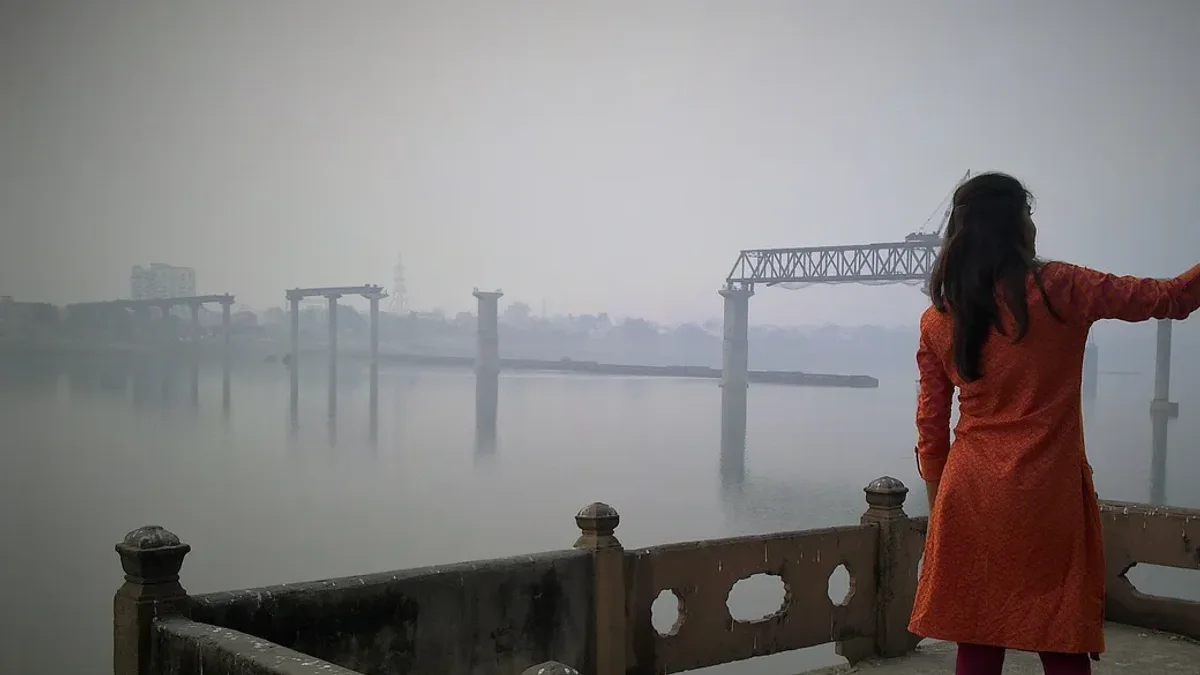
वाराणसी के रामनगर किले की बालकनी पर सेल्फ़ी लेती एक महिला। फ़ोटो: juggadery, CC BY-SA 2.0, via Wikimedia Commons, क्रॉप किया गया।
FAQ: अक्सर पूछे जाने वाले सवाल
Gemini से फोटो कैसे बनाएं?
Gemini ऐप या gemini.google.com खोलें, अपनी साफ़ फोटो अपलोड करें, पूरा सीन बताने वाला प्रॉम्प्ट लिखें और भेजें। चेहरा न बदले, इसके लिए प्रॉम्प्ट के आख़िर में लिखें कि चेहरा बिल्कुल वैसा ही रखना है।
Gemini se photo kaise banaye, kya likhe?
यह लिखें कि आप कौन हैं और क्या पहना है, कहाँ हैं, रोशनी कैसी है और कैमरा कैसा है, जैसे "the person in a maroon silk saree on a Jaipur palace balcony at golden hour"। आख़िर में चेहरा न बदलने वाली लाइन जोड़ें।
क्या Gemini से फोटो बनाना फ्री है?
हाँ, फ्री प्लान में भी फोटो बनती है, पर संख्या सीमित है। Google AI Plus (₹399 महीना) में दोगुनी और AI Pro (₹1,950 महीना) में चार गुना लिमिट मिलती है।
Gemini में मेरी फोटो एडिट क्यों नहीं हो रही?
अपनी फोटो एडिट करने के लिए Google अकाउंट 18 साल या उससे ज़्यादा उम्र वाले का होना चाहिए। लिमिट खत्म हो गई हो तो कुछ घंटे बाद फिर कोशिश करें।
Gemini se couple photo kaise banaye?
दोनों लोगों की एक साफ़ फोटो अपलोड करें, कपल वाला सीन लिखें (जैसे ऊपर प्रॉम्प्ट 3), और आख़िर में लिखें कि दोनों के चेहरे बिल्कुल वैसे ही रखने हैं।
Gemini फोटो से वॉटरमार्क कैसे हटाएं?
भारत में दिखने वाला वॉटरमार्क छिपाने की सेटिंग सिर्फ़ AI Ultra सब्सक्रिप्शन में है। अदृश्य SynthID वॉटरमार्क किसी भी प्लान में नहीं हटता। वॉटरमार्क हटाने का दावा करने वाले ऐप से बचें।
Cover image: वाराणसी में बालकनी पर सेल्फ़ी लेती एक महिला, जिस पर BestAI ने Gemini का लोगो और "Gemini से फोटो कैसे बनाएं" शीर्षक जोड़ा है. juggadery, CC BY-SA 2.0, via Wikimedia Commons.
संबंधित टूल
We may earn a commission if you buy through our links. This doesn't affect our rankings. Learn more about our affiliate disclosure.

Gemini
Google's multimodal AI assistant integrated across Search, Workspace, and Android.

ChatGPT
The most widely used AI chatbot for writing, coding, and research.