AI Audio Enhancer: Fix Noise, Echo and Low Volume Free
The best free AI audio enhancer for most recordings is Adobe Podcast Enhance Speech: one hour a day, files up to 30 minutes, any language. For echo use Auphonic (2 free hours a month), for Hindi audio to text use Sarvam, and for live calls switch on Meet or Zoom's built-in noise cancellation.
Most bad audio comes from a handful of causes: a ceiling fan or AC humming in the background, a bare room that bounces your voice back, a phone held too far away, or music and traffic leaking into the recording. Each one needs a different fix, and the tool that is brilliant at one can make another worse.
This guide is organised by problem, not by tool. Find what is wrong with your recording, use the free fix, and only pay if the free limit runs out. Every limit and price below was checked on the vendor's own pages on 29 October 2026, and we note which tools handle Hindi and other Indian languages.
Which AI audio enhancer fixes which problem?
Start here. The "best free fix" column is the one we would try first; the right-hand column is the step up when the free tier isn't enough.
| Your problem | Best free fix | Free limit | When you need more |
|---|---|---|---|
| Fan, AC or traffic noise | Adobe Podcast Enhance Speech | 1 hour a day, files up to 30 min | Auphonic or Descript |
| Echo from a bare room | Auphonic (Remove Reverb) | 2 hours a month | Cleanvoice |
| Too quiet, or one speaker louder | Auphonic Adaptive Leveler | 2 hours a month | Audacity (free, manual) |
| Muffled phone or laptop mic | Adobe Podcast Enhance Speech | 1 hour a day | Descript Studio Sound |
| Music or crowd behind a voice | ElevenLabs Voice Isolator | About 10 minutes a month | Auphonic Speech Isolation |
| Noise on live calls | Google Meet or Zoom built-in | Free where available | Krisp |
| Hindi audio to text | Sarvam speech-to-text | Free web converter | Sarvam API, ₹0.49 a minute |
| Hindi text to natural speech | Sarvam Bulbul playground | Free, no signup | ElevenLabs, Murf |
How do I remove background noise from audio?
For a one-off recording, upload it to Adobe Podcast Enhance Speech. The free account handles files up to 30 minutes and 500 MB, with a cap of one hour of audio a day, according to Adobe's feature page. Adobe's FAQ says Enhance Speech is "language agnostic", so Hindi, Tamil or Hinglish recordings work the same way as English.
The catch is that the free tier has "no strength adjustment". It strips noise aggressively, and on a decent recording that can leave the voice sounding slightly artificial. If that happens, use a tool with a dial instead: Auphonic's denoiser lets you set how much noise to remove, and Descript's Studio Sound has an Intensity slider.
Want it offline and unlimited? On Windows, install Audacity with Intel's free OpenVINO AI plugins, which add AI noise suppression and run "100% locally on your PC". Audacity's built-in Noise Reduction effect is not AI: it learns the noise from a sample you select, so select a stretch of pure background noise (the manual says longer is better) and use the lowest settings that work, because the Audacity manual warns that noise reduction "usually results in some distortion".
Our step-by-step guide to removing background noise with AI goes deeper on each tool.
How do I remove echo from a recording?
Echo is harder than noise, because the reflections overlap your actual voice. Use Auphonic, which is free for 2 hours of processed audio a month and has a separate "Remove Reverb" control. Free productions add a short Auphonic jingle.
Auphonic's own advice is worth following: if the result "sounds too sterile, decrease the Remove Noise and Remove Reverb amounts". Heavy reverb removal makes a voice sound like it was recorded inside a cupboard. Cleanvoice is the alternative, with 30 free minutes on signup and a dedicated echo remover.
The real fix is cheaper than any tool: record next time in a room with curtains, a bed or a cupboard full of clothes, and sit close to the mic. Soft surfaces absorb the reflections that no software fully removes.
How do I fix audio that is too quiet or uneven?
When one person is loud and another is faint, or the whole file is too quiet, you need levelling, not noise removal. Auphonic's Adaptive Leveler balances speakers automatically and normalises loudness in the same pass.
Set the loudness target for where the audio is going. Auphonic recommends -14 LUFS for YouTube and Spotify and -16 LUFS for Apple and Google podcasts. Audacity's free Loudness Normalization effect defaults to -23 LUFS, a broadcast standard, so change it before exporting for YouTube or Instagram, and make it the last effect you apply.
How do I make a phone recording sound clear?
This is what AI audio enhancers do best. A voice note recorded at arm's length or a lecture captured on a laptop mic sounds thin and distant; Adobe Enhance Speech cleans it up so the voice sounds nearer and clearer, and its FAQ says it normalises the volume at the same time. Adobe notes that "clearer and more polished inputs" give better results, so record as close to the phone as you can.
Descript's Studio Sound does the same inside an editor and is meant for recordings that sound "noisy, echoey, or like it was captured on a laptop mic", per Descript's help centre. Its free plan includes 60 minutes of media a month, but Studio Sound is marked "Limited" on the free tier and exports carry a watermark. Paid plans start at $16 a month billed yearly, in US dollars for Indian buyers according to our AI subscription price in India report.
How do I separate a voice from background music?
If a voice is buried under music, a crowd or a TV, use the ElevenLabs Voice Isolator. It accepts audio and video files up to 500 MB and one hour, and the free plan's 10,000 monthly credits cover about 10 minutes of isolated audio, at 1,000 credits a minute. The free plan is for personal use only.
One honest limitation from ElevenLabs' own documentation: the tool is "not specifically optimized for isolating vocals from music". It works best on speech over noise; for a song, results vary. For longer files, Auphonic's Speech Isolation fits more audio into its 2 free hours, though Auphonic warns it will also remove jingles and ambience you might want to keep.
How do I stop background noise on calls?
Turn on what you already have before installing anything. Google Meet has noise cancellation on paid Workspace plans and Google One plans of 2 TB and above, and also runs on-device on many Android phones, including Pixel 4 and later and Samsung Galaxy S10 and later, according to Google. Google warns it won't cancel "voices from TV or people talking", and you should switch it off when you want music to come through.
Zoom's background noise suppression has Auto, Low, Medium and High settings. High removes background speech too but "may increase CPU utilization", per Zoom's support article, so drop to Medium on an older laptop.
Krisp works across every calling app, but its pricing page now offers only a 7-day free trial, then $8 a user a month billed yearly or $16 monthly. Pay for it only if Meet and Zoom's built-in options don't cover the apps you use.
How do I convert Hindi audio to text?
For Hindi and other Indian languages, start with Sarvam AI's speech-to-text, from the Indian AI company Sarvam. Its free web converter needs "no account or credit card", handles Hinglish natively, and Sarvam's documentation lists 22 Indian languages plus English. If you need more, the API costs ₹0.49 a minute, and new verified users get ₹100 in free credits that don't expire. For files longer than 30 seconds through the API, use its batch mode, which takes files up to an hour.
Two other free options:
- Google Docs voice typing supports Hindi, Bengali, Gujarati, Kannada, Malayalam, Marathi, Tamil and Urdu in Chrome. Voice commands work only in English, so you add punctuation by hand.
- OpenAI Whisper is free, open source and runs on your own computer, with Hindi, Bengali, Tamil, Telugu, Marathi and other Indian languages in its language list, but it needs a command line, and OpenAI notes that accuracy "varies widely depending on the language".
More methods, including English transcription, are in our guide to transcribing audio to text for free.
How do I make natural Hindi voiceovers?
Sarvam's Bulbul text-to-speech covers 11 languages, including Hindi, Bengali, Tamil, Telugu, Marathi and Gujarati. The playground needs no signup, and Sarvam says the audio is free to use commercially. Through the API it costs ₹1 to ₹3 per 1,000 characters, with a limit of 2,500 characters per request, so split long scripts.
ElevenLabs sounds more expressive, but choose the model by language: its Eleven v3 model lists Hindi, Bengali, Marathi, Tamil and Telugu, while the faster models list only Hindi and Tamil. The free plan's 10,000 monthly credits come to roughly 10,000 characters, for personal use only. Murf has more than 40 Hindi voices and a 10-minute free trial. For a full walkthrough, see turning a blog post into a podcast with text to speech.
What should I check before uploading audio?
Most of these tools process your file on their servers. That is fine for a podcast or a YouTube voiceover, but think twice before uploading a client call, a medical conversation or anything confidential.
- Fully on your device: Whisper and the Audacity OpenVINO plugins.
- Stated deletion policy: Cleanvoice says it keeps your original and edited files for 7 days, then deletes them.
- Cloud processing: Descript's Studio Sound requires an internet connection.
We could not find a clear published policy for Adobe Podcast or Krisp on how long uploads are kept, so check their terms if it matters for your recording.
For more options by category, see our best AI voice and audio tools and the free voice and audio tools list.
FAQ
What is the best free AI audio enhancer?
For most recordings, Adobe Podcast Enhance Speech: it is free with one hour of processing a day, handles files up to 30 minutes and works in any language. Use Auphonic instead when you need to control how much noise or echo is removed.
Can AI remove echo from audio?
Yes. Auphonic's Remove Reverb and Cleanvoice's echo remover both reduce room echo, and Auphonic includes 2 free hours a month. Heavy echo removal can make a voice sound flat, so reduce the strength if it sounds unnatural.
How can I convert Hindi audio to text for free?
Use Sarvam AI's free speech-to-text web converter, which needs no account and handles Hinglish, or Google Docs voice typing in Chrome. Whisper is a free offline option if you are comfortable with a command line.
Is there a free AI audio enhancer without login?
Of the tools we checked, Sarvam's speech-to-text converter and its Bulbul text-to-speech playground work without signing up. Adobe Enhance Speech, Auphonic and ElevenLabs need a free account.
Does Adobe Enhance Speech work with Hindi?
Yes. Adobe's FAQ describes Enhance Speech as "language agnostic", so it cleans up Hindi and other Indian-language recordings the same way as English.
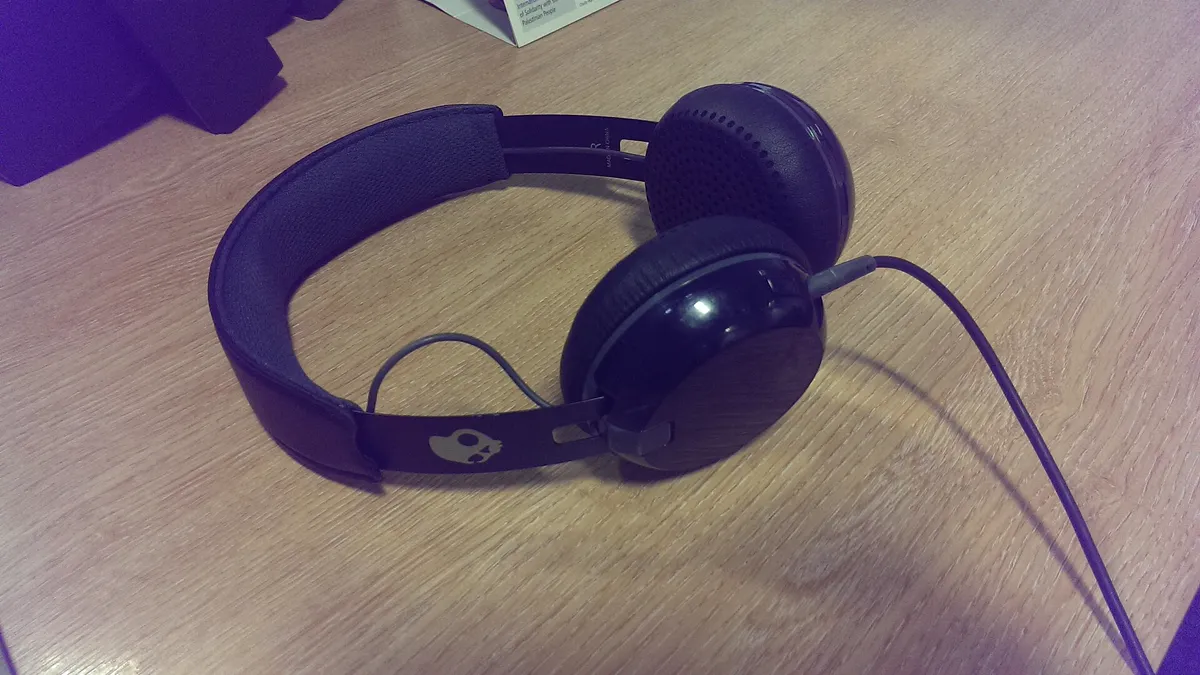
Cover image: Lirazelf, CC BY-SA 3.0, via Wikimedia Commons.
Related tools
We may earn a commission if you buy through our links. This doesn't affect our rankings. Learn more about our affiliate disclosure.

Descript
Edit video and podcasts by editing a text transcript.

ElevenLabs
High-quality AI text-to-speech and voice cloning platform.



Murf
AI voiceover generator for videos, presentations, and e-learning.
See more of BestAI.in in Google's Top Stories: add us as a preferred source.